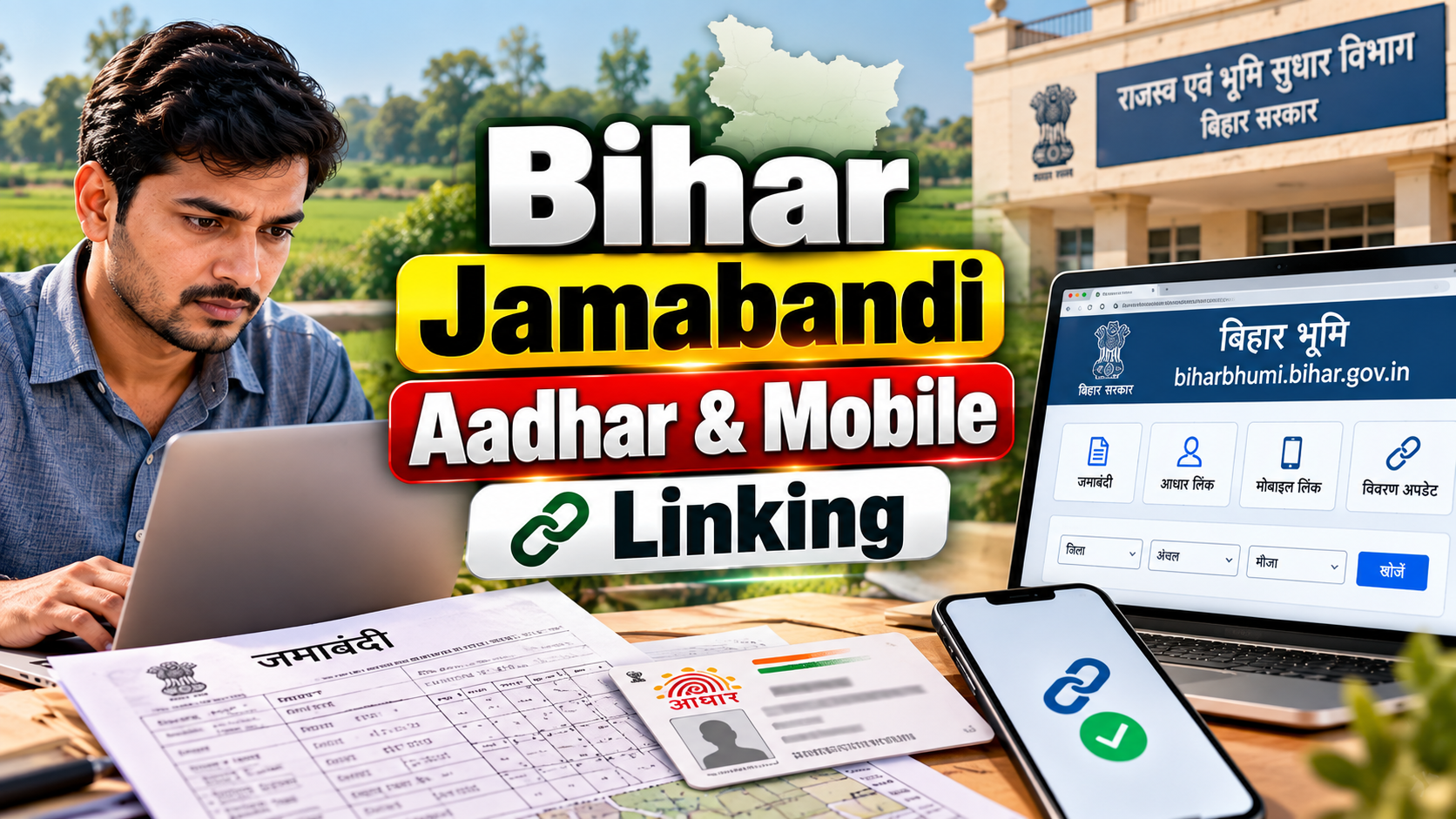
Bihar Jamabandi Aadhaar mobile linking is one of the most searched topics among Bihar landowners trying to make sense of their digital land records. Many Raiyats open the Bihar Bhumi portal expecting a simple online form, only to find something slightly different. This guide explains, in plain language, what Aadhaar and mobile seeding actually mean for your Jamabandi, what you can genuinely do online, and where the Revenue Employee or Anchal Office comes into the picture.
If you have been searching for "Aadhaar se Jamabandi kaise link kare" or wondering why you cannot find a direct linking button on the portal, you are not alone. This confusion is common, and it usually comes down to one simple fact: checking your seeding status and actually seeding your Aadhaar are two different processes, handled by two different parties.
Table of Contents
- What Is Bihar Jamabandi Aadhaar and Mobile Seeding?
- Can You Link Aadhaar to Jamabandi Completely Online?
- How to Check Bihar Jamabandi Aadhaar/Mobile Seeding Status Online
- How to Find Your Computerized Jamabandi Number
- What to Do If Aadhaar Is Not Linked With Your Jamabandi
- How Jamabandi SMS Alerts Work
- Benefits of Aadhaar and Mobile Seeding
- Common Problems and Their Solutions
- Aadhaar Linking vs Mobile Seeding vs SMS Alert
- Frequently Asked Questions
What Is Bihar Jamabandi Aadhaar and Mobile Seeding?
Every landholding in Bihar's digitized land record system has a Jamabandi entry, which records details like the Raiyat's name, khata number, khesra number, mauza, halka, and the district and Anchal under which the land falls. Aadhaar seeding means attaching your Aadhaar number to this Jamabandi entry in the department's database. Mobile seeding, similarly, means attaching your registered mobile number to that same record.
These two steps are meant to strengthen the identity verification behind land records and to make it possible for the Revenue and Land Reforms Department to reach the correct person when something related to their Jamabandi changes. It is worth repeating that this is a record-linking exercise, not a change to who owns the land. Aadhaar seeding does not create, confirm, or transfer any ownership right by itself.
It is also important not to confuse Aadhaar seeding with mutation (dakhil-kharij). Mutation is the formal process of updating land records after a sale, inheritance, gift, or partition. Aadhaar and mobile seeding, on the other hand, is simply about linking identity details to an existing Jamabandi record.
Can You Link Aadhaar to Jamabandi Completely Online?
This is where most of the confusion around Bihar Bhumi Aadhaar linking begins. Based on the information published by the Bihar Revenue and Land Reforms Department, the actual work of linking Aadhaar with a Jamabandi record is carried out by the Revenue Employee, not by the landowner filling out a self-service web form. If your Aadhaar has not yet been seeded, the department's guidance directs you to contact your Revenue Employee or the local Anchal Office.
What the Bihar Bhumi portal does offer online, without needing to visit any office, is a "Check AADHAAR/Mobile Seeding Status" facility. This lets you check whether your Jamabandi already has Aadhaar and mobile numbers linked to it. It is a status-check tool, not an application form for linking. Understanding this distinction will save you a lot of time and prevent you from searching for a button that the current portal does not provide for this particular step.
How to Check Bihar Jamabandi Aadhaar/Mobile Seeding Status Online
Checking your Bihar Bhumi Aadhaar mobile seeding status is straightforward and can be done from a phone or computer without registering an account. Here is the general process:
- Open the official Bihar Bhumi portal at https://biharbhumi.bihar.gov.in/.
- Look for the option related to checking mobile or Aadhaar seeding status among the land record services listed on the portal.
- Select the "Check AADHAAR/Mobile Seeding Status" option.
- Enter your computerized Jamabandi number when prompted, along with any other identifying details the form asks for, such as district and Anchal.
- Submit the details and view the result displayed on screen.
The result will typically indicate whether Aadhaar and mobile numbers are currently seeded against that Jamabandi entry. If the status shows that seeding is pending, that is your cue to reach out to the Revenue Employee or Anchal Office, as explained further below. Since portal layouts and menu wording can be updated by the department from time to time, always rely on the labels and options actually displayed on the live Bihar Bhumi site rather than assuming the exact wording will never change.
How to Find Your Computerized Jamabandi Number
The computerized Jamabandi number is central to almost every online interaction with Bihar's digitized land records, including the seeding status check described above. This number uniquely identifies your Jamabandi entry within the department's database for a specific mauza and Anchal.
If you already have a copy of your Jamabandi extract, physical or digital, the computerized Jamabandi number is usually printed on it along with other reference details such as the Bhag number and page number. If you do not have this document handy, you can typically locate your Jamabandi entry through the "View Jamabandi Register" or similar land record search facility on the Bihar Bhumi portal, using details like your name, khata number, or mauza. Once you locate the correct entry, the computerized Jamabandi number associated with it will be visible, and you can use it for the seeding status check or other online lookups.
If you are unable to locate this number through the portal, the Anchal Office or Revenue Employee handling your mauza will be able to guide you, since they maintain the underlying land records for that area.
What to Do If Aadhaar Is Not Linked With Your Jamabandi
If the status check shows that your Aadhaar or mobile number is not yet seeded against your Jamabandi, the next step is not another online form. According to the department's published guidance, this linking work is carried out by the Revenue Employee for your area. The recommended course of action is:
- Note down your computerized Jamabandi number and other identifying details of your land record, such as khata number, khesra number, and mauza.
- Visit or contact the Revenue Employee responsible for your mauza, or approach the Anchal Office under which your land falls.
- Carry your Aadhaar details and any Jamabandi-related documents that help the Revenue Employee identify your record correctly.
- Ask the Revenue Employee to update the Aadhaar and mobile seeding for your Jamabandi entry in the department's system.
Because exact requirements, supporting documents, and timelines can vary by Anchal and are not published as a single fixed nationwide standard, it is best to confirm specifics directly with your local Revenue Employee or Anchal Office rather than relying on a generic checklist. Avoid trusting any third-party website or agent that claims to complete Aadhaar seeding for you online for a fee; this is an official departmental process handled through revenue staff, not a paid online service.
How Jamabandi SMS Alerts Work
Separate from Aadhaar and mobile seeding, Bihar Bhumi also offers an SMS alert facility for Jamabandi. This service is designed so that a Raiyat can receive SMS notifications on their registered mobile number when certain activity, such as changes related to their Jamabandi or mutation-related updates, takes place on their land record.
To use this facility, a landowner generally needs to select their Jamabandi or plot details on the Bihar Bhumi portal and register or confirm their mobile number for alerts, which may involve an OTP-based confirmation step to verify that the mobile number belongs to the person requesting the alert service. This SMS alert facility is a notification service; it works alongside Aadhaar and mobile seeding but is not identical to it. A Jamabandi can, in principle, have mobile seeding recorded in the department's database while the SMS alert opt-in is a separate action a Raiyat may need to take on the portal.
Because the exact screen names and steps for this facility can be updated by the National Informatics Centre (NIC) team that maintains Bihar Bhumi, always follow the current on-screen instructions on the official portal rather than a fixed script.
Benefits of Aadhaar and Mobile Seeding
Linking Aadhaar and mobile numbers to Jamabandi records offers several practical advantages for landowners:
- It strengthens the identity verification linked to a land record, making it harder for records to be misattributed.
- It supports the department's ability to send relevant SMS notifications about Jamabandi or mutation-related activity to the correct person.
- It helps landowners and their family members confirm, through the online status check, whether their record is correctly linked without needing to visit an office just to ask.
- It contributes to the broader digitization goals of Bihar Bhumi, making land record administration more transparent over time.
It bears repeating that none of these benefits include changing, confirming, or transferring ownership. Ownership-related changes still go through the formal mutation process.
Common Problems and Their Solutions
Landowners often run into a handful of recurring issues while dealing with Aadhaar and mobile seeding on Bihar Bhumi. Here are common problems and sensible ways to approach them:
- Cannot find the computerized Jamabandi number: Search the Jamabandi register on the Bihar Bhumi portal using your name, khata, or mauza details, or ask your Revenue Employee for the correct reference.
- Status check shows "not seeded": This means the Revenue Employee has not yet updated your record. Contact the Revenue Employee or Anchal Office with your Jamabandi details to get this addressed.
- Registered mobile number is outdated or incorrect: Since seeding is handled by the Revenue Employee, report the correct mobile number to them so the record can be updated accurately.
- Confusion between Aadhaar seeding and mutation status: Remember that Aadhaar seeding relates to identity linking on an existing Jamabandi, while mutation is a separate process that changes the record after a transfer of land, such as a sale or inheritance.
- Portal page or option not loading: Government portals occasionally face heavy traffic or maintenance windows; try again later or use an alternate device or browser before assuming there is a problem with your record.
Aadhaar Linking vs Mobile Seeding vs SMS Alert
Because these three terms are often used loosely and interchangeably, a side-by-side view helps clarify what each one actually involves.
| Aspect | What It Means | Who Performs It |
|---|---|---|
| Aadhaar Seeding | Linking Aadhaar number to a Jamabandi record | Revenue Employee, on request |
| Mobile Seeding | Linking a mobile number to a Jamabandi record | Revenue Employee, on request |
| Seeding Status Check | Viewing whether Aadhaar/mobile is already seeded | Landowner, online via Bihar Bhumi |
| SMS Alert Service | Opting in to receive SMS on Jamabandi/mutation activity | Landowner, via portal, subject to OTP confirmation |
Seeing these side by side makes it clear that the only step a landowner can complete independently online, without visiting any office, is checking the current status and, where supported by the portal, opting into SMS alerts. The actual seeding of Aadhaar and mobile numbers into the Jamabandi record itself rests with the Revenue Employee.
Frequently Asked Questions
Is Bihar Jamabandi Aadhaar linking completely online?
No. According to the Revenue and Land Reforms Department's guidance, the Revenue Employee carries out the actual Aadhaar seeding for a Jamabandi. What you can do fully online is check whether your Aadhaar and mobile number are already seeded, using the Bihar Bhumi portal.
How can I check my Aadhaar/mobile seeding status?
Visit the Bihar Bhumi portal, select the "Check AADHAAR/Mobile Seeding Status" option, and enter your computerized Jamabandi number to view the current status.
What is a computerized Jamabandi number?
It is the unique reference number assigned to your digitized Jamabandi entry within a specific mauza and Anchal, and it is required for most online lookups related to that land record.
What should I do if Aadhaar is not linked with my Jamabandi?
Contact the Revenue Employee for your mauza or approach the local Anchal Office with your Jamabandi details so they can update the Aadhaar seeding on your record.
Can I receive SMS alerts for my Jamabandi?
Yes, Bihar Bhumi provides a separate SMS alert facility for Jamabandi where a landowner can opt in to receive notifications about Jamabandi or mutation-related activity, generally involving an OTP confirmation step.
Does Aadhaar linking change land ownership?
No. Aadhaar and mobile seeding only link identity details to an existing Jamabandi record. Changes to ownership are handled separately through the mutation (dakhil-kharij) process.
What should I do if my mobile number is incorrect in the land record?
Report the correct mobile number to your Revenue Employee or Anchal Office, since mobile seeding on the Jamabandi record is updated by them rather than through a self-service online form.
Is Aadhaar seeding the same as mutation?
No. Aadhaar seeding links your identity to an existing Jamabandi entry, while mutation updates the record itself after events like sale, inheritance, gift, or partition of land.
Where can I find the "Check AADHAAR/Mobile Seeding Status" option?
It is available among the citizen-facing land record services listed on the official Bihar Bhumi portal, without requiring account registration or login.
Conclusion
Bihar Jamabandi Aadhaar mobile linking is often misunderstood as a single online form, but the reality is more nuanced and, once you know the steps, quite manageable. The Bihar Bhumi portal lets you check your Aadhaar and mobile seeding status instantly using your computerized Jamabandi number, and it also offers a separate SMS alert facility for Jamabandi updates. The actual seeding of Aadhaar and mobile numbers into your Jamabandi record, however, is carried out by the Revenue Employee, so if your status shows as unlinked, your next step is to reach out to the Revenue Employee or your local Anchal Office rather than searching for a linking button that the current process does not provide. Keeping this distinction clear will help you use Bihar Bhumi more confidently and get your land records properly updated without unnecessary confusion.